Medical Equipment Asset Tagging: A Hospital Inventory Setup Checklist
Quick answer: Give every trackable device a unique hospital asset ID, keep the manufacturer's serial number as a separate field, and connect the physical label to one maintained inventory record. A barcode or QR code is useful only when scanning leads to a record that staff actually update.
Decide what receives an asset tag
Start with the hospital's inventory policy. Include reusable equipment whose location, maintenance, warranty, safety status or replacement decision must be tracked. Define how you will handle loaners, donated devices, accessories and devices shared between departments. Do not assign one ID to a whole shipment if each unit needs its own service history.
The World Health Organization treats inventory as part of the medical-device life cycle after reception and before maintenance and decommissioning. Its 2025 inventory and maintenance management guide is a useful reference for the overall process.
Use a stable identifier, not a model name
Create a short, unique asset number that does not change when the device moves. Record the manufacturer, model and serial number separately. The serial number supports manufacturer recalls and supplier communication; the hospital ID joins internal work orders, transfers and audit records. Avoid embedding a department in the ID if that department may change.
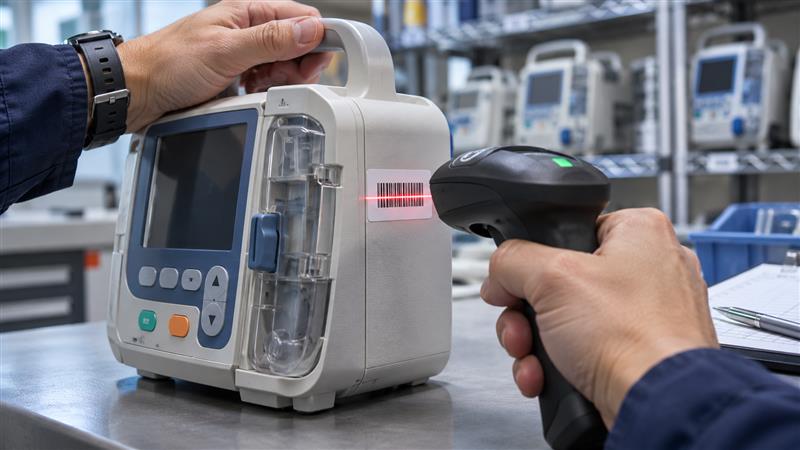
Place the tag where it can be scanned during routine checks without obscuring controls, vents, warnings or the manufacturer's label. Check the device's cleaning and safety instructions before choosing a label material or adhesive.
Capture the minimum useful inventory fields
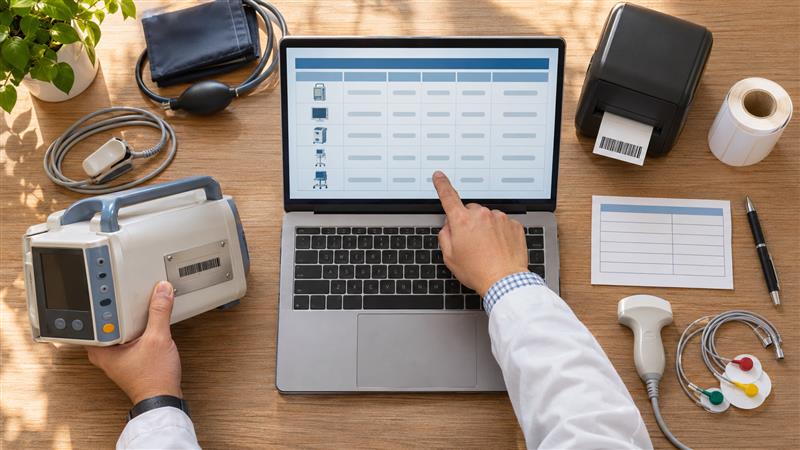
At registration, record the asset ID, device type, manufacturer, model, serial number, current location, responsible department, acquisition source, acceptance or installation date, warranty end date, operating status and maintenance owner. Add software version and relevant inspection references where appropriate. Attach purchase and acceptance documents to the record rather than relying on a label to carry them.
WHO's computerized maintenance management guidance identifies these types of fields as useful for tracking individual devices. The exact field set should match local rules and the hospital's workflow.
Make scanning part of the handover workflow
At delivery, compare the device and serial number with the order and receiving documents. Create the asset record, attach the tag, then record commissioning and the final clinical location when those steps are complete. A device in quarantine or awaiting inspection should not appear as available for use. When equipment moves, repair staff and department owners need a simple transfer step that updates the same record.
Asset records also help connect a device to compatible parts. See our medical equipment spare-parts planning guide for the separate question of what to stock and how to plan lead times.
Audit the record, not just the sticker
Run periodic spot checks: scan the tag, confirm the serial number and location, and compare the displayed status with the device in front of you. Resolve missing tags, duplicates, retired devices and unrecorded transfers. Review who can edit the register and retain a history of changes. The goal is a dependable record for maintenance, recalls, budgeting and eventual replacement, not simply a room full of barcodes.
Related articles